
GitHub Apps OAuth
Tinyauth supports GitHub Apps for authentication instead of OAuth Apps. GitHub Apps allow for more control over permissions and are slightly more complex to set up. For simpler setups, OAuth Apps are recommended.
Requirements
Section titled “Requirements”GitHub requires the following to set up an app:
- A domain name (non-gTLDs are supported)
- A GitHub account
Creating the GitHub App
Section titled “Creating the GitHub App”Open the GitHub Apps site and click New GitHub App.
Then, fill in the following information:
| Name | Value |
|---|---|
| GitHub App Name | The name for the app, e.g., Tinyauth. |
| Homepage URL | Any URL, e.g., https://tinyauth.app. |
| Callback URL | The Tinyauth app URL followed by /api/oauth/callback/github, e.g., https://tinyauth.example.com/api/oauth/callback/github. |
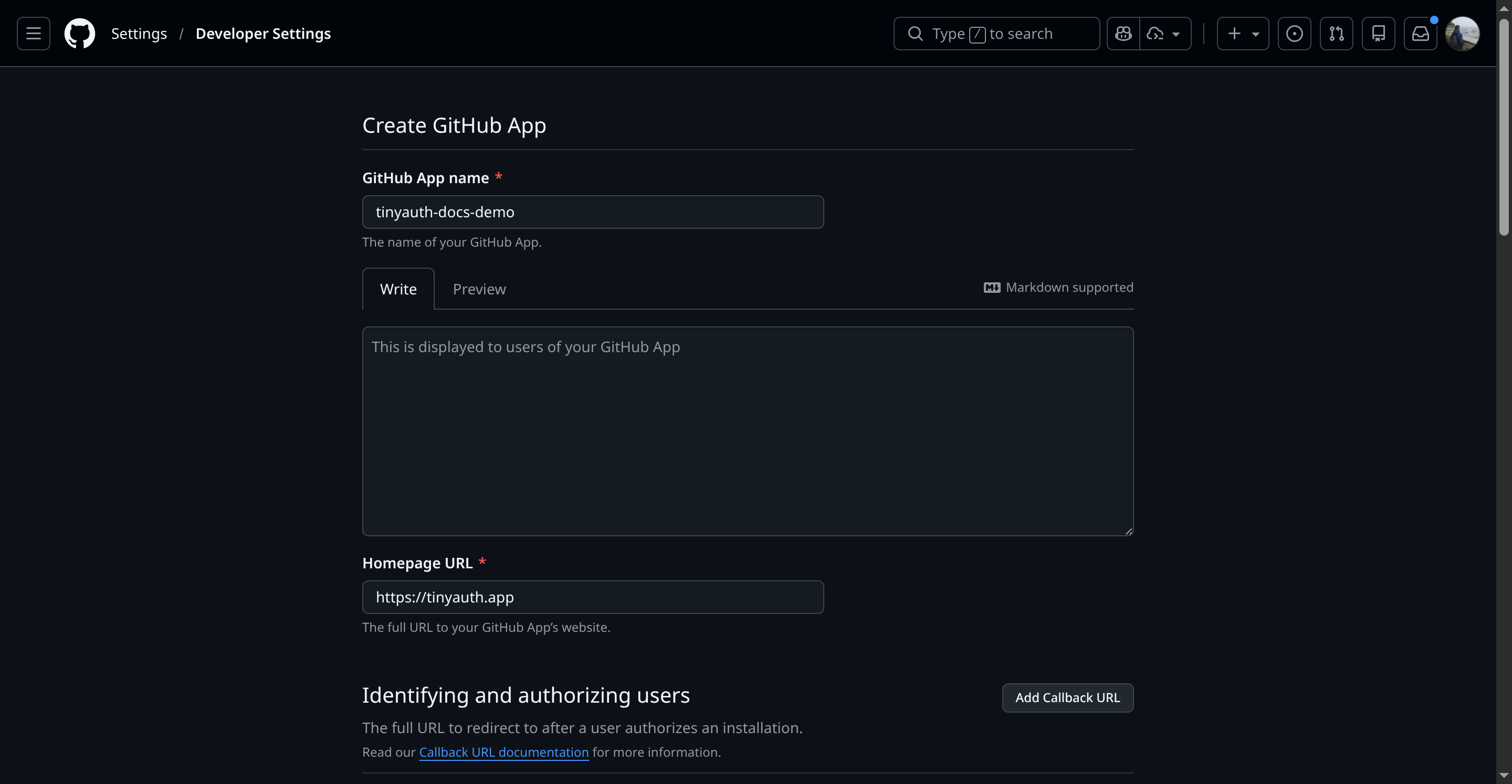
Under webhook, ensure the Active checkbox is unchecked since webhooks are not required.
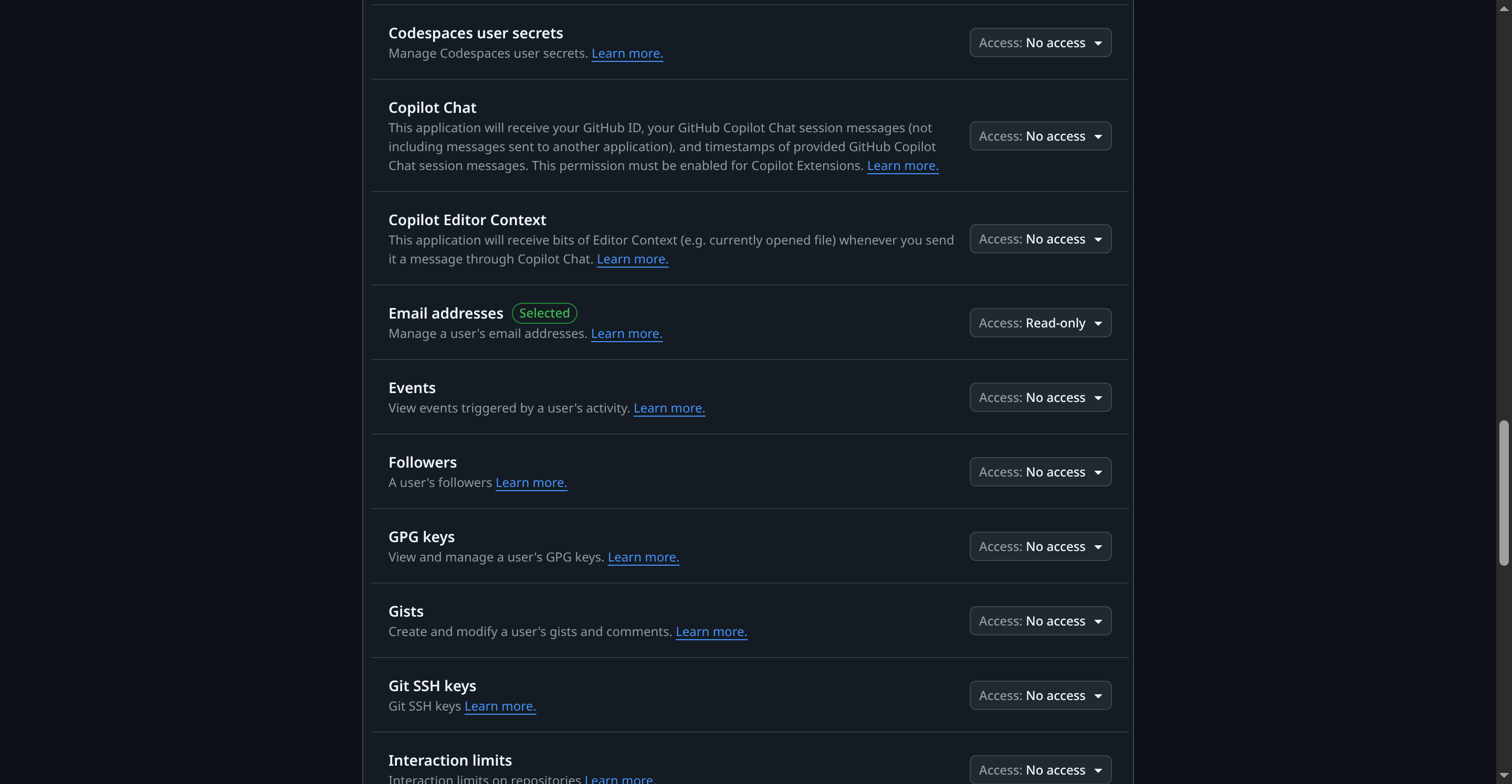
In the Permissions section, click Account permissions and set the Email Addresses option to Read-only:
Finally, create the app. The following screen will appear:
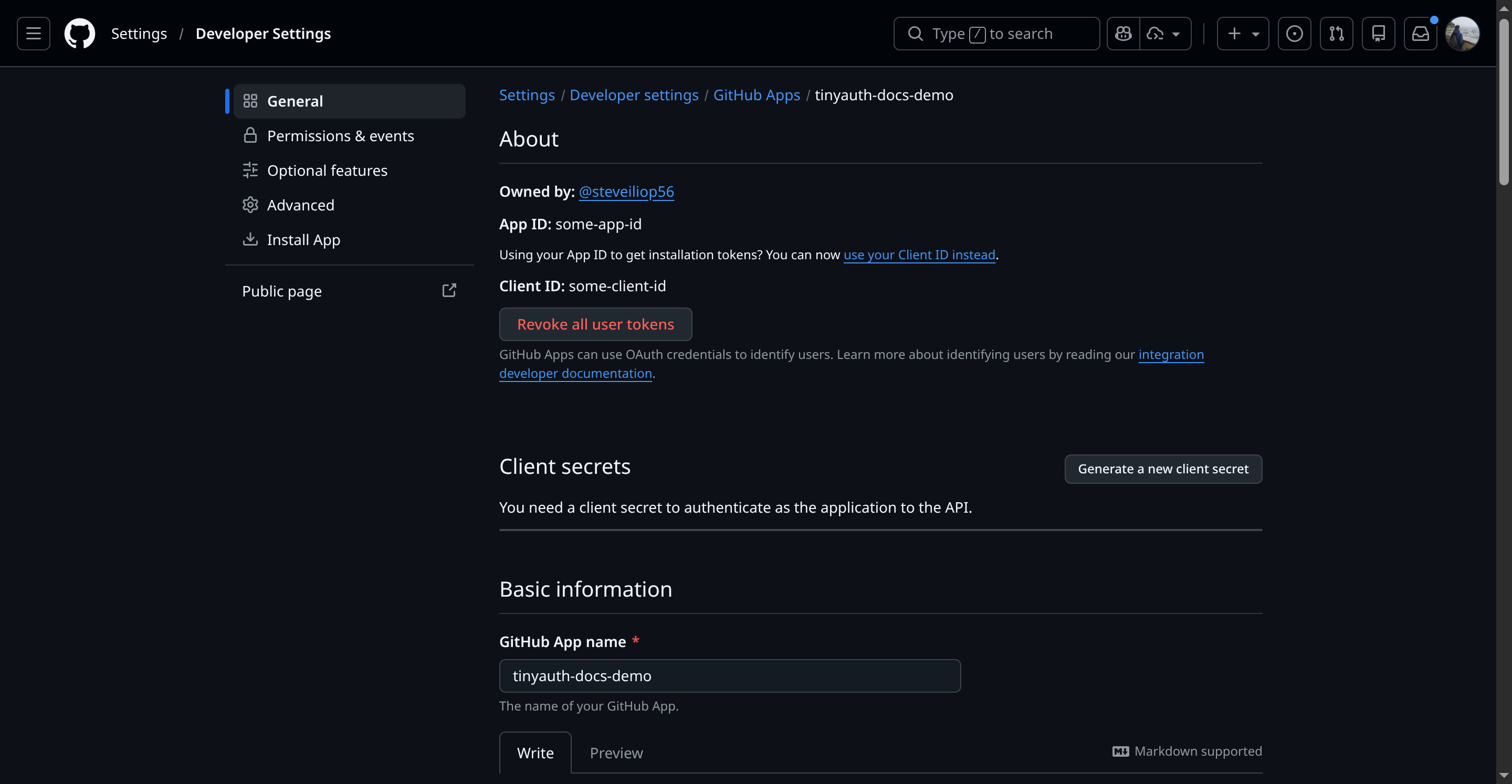
Note the client ID. To generate the client secret, click Generate new client secret. After authentication, the secret will appear:
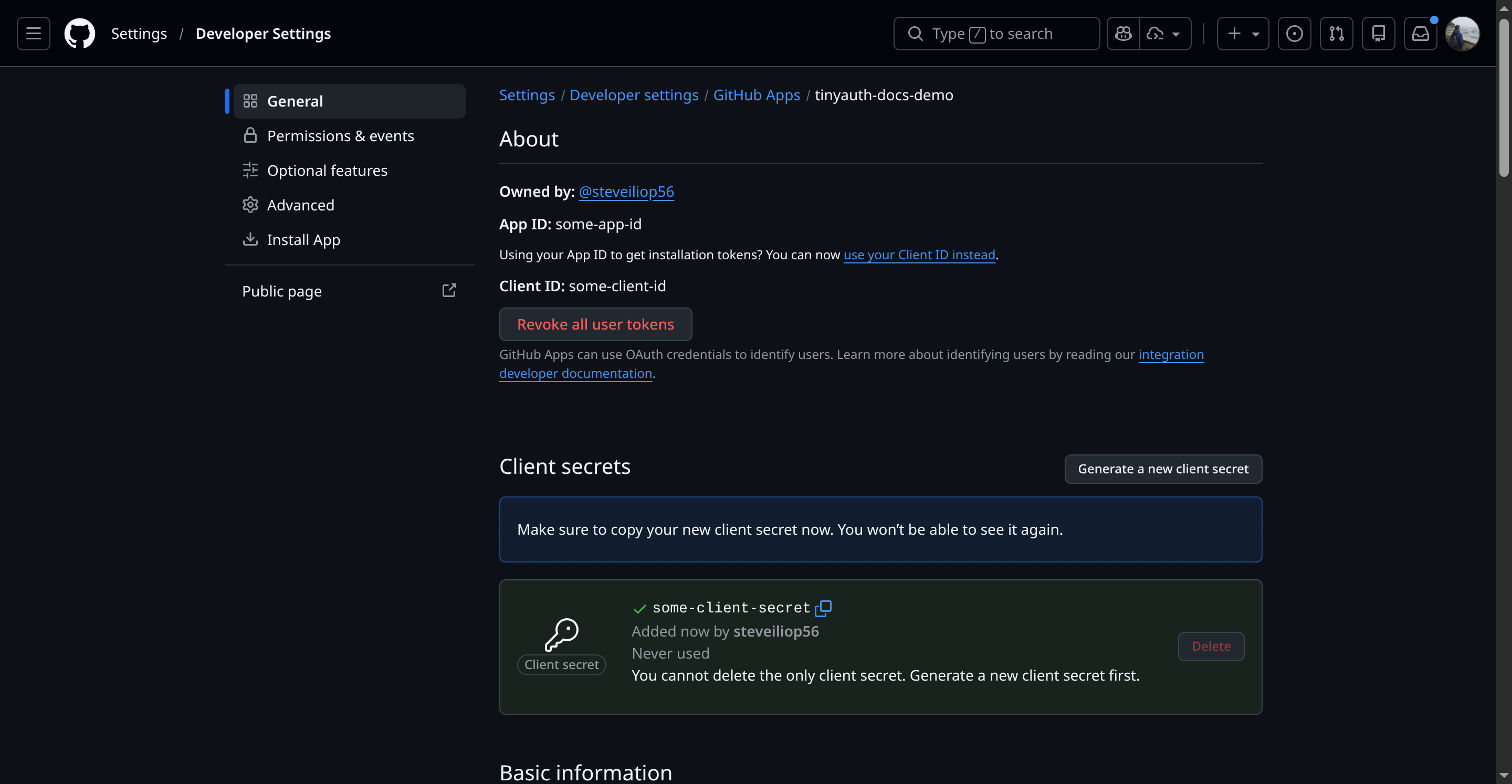
Note down the client ID and secret as they will be required for Tinyauth.
Configuring Tinyauth
Section titled “Configuring Tinyauth”Add the following environment variables to the Tinyauth Docker container:
services: tinyauth: environment: - TINYAUTH_OAUTH_PROVIDERS_GITHUB_CLIENTID=your-github-client-id - TINYAUTH_OAUTH_PROVIDERS_GITHUB_CLIENTSECRET=your-github-secretRestart Tinyauth. Upon visiting the login screen, an additional option to log in with GitHub will appear.