
GitHub OAuth
Tinyauth has built-in support for GitHub OAuth with just two environment variables. Most of the configuration happens on the GitHub side rather than Tinyauth.
Requirements
Section titled “Requirements”- A domain name (non-gTLDs are supported)
- A GitHub account
Creating the GitHub OAuth App
Section titled “Creating the GitHub OAuth App”Begin by creating a GitHub OAuth app. Navigate to the GitHub developer settings and click New OAuth App. Fill in the following details:
| Name | Value |
|---|---|
| Application name | Can be anything, e.g., Tinyauth. |
| Homepage URL | Can be any URL, e.g., https://tinyauth.app. |
| Authorization Callback URL | Enter the domain followed by /api/oauth/callback/github, e.g., https://tinyauth.example.com/api/oauth/callback/github. |
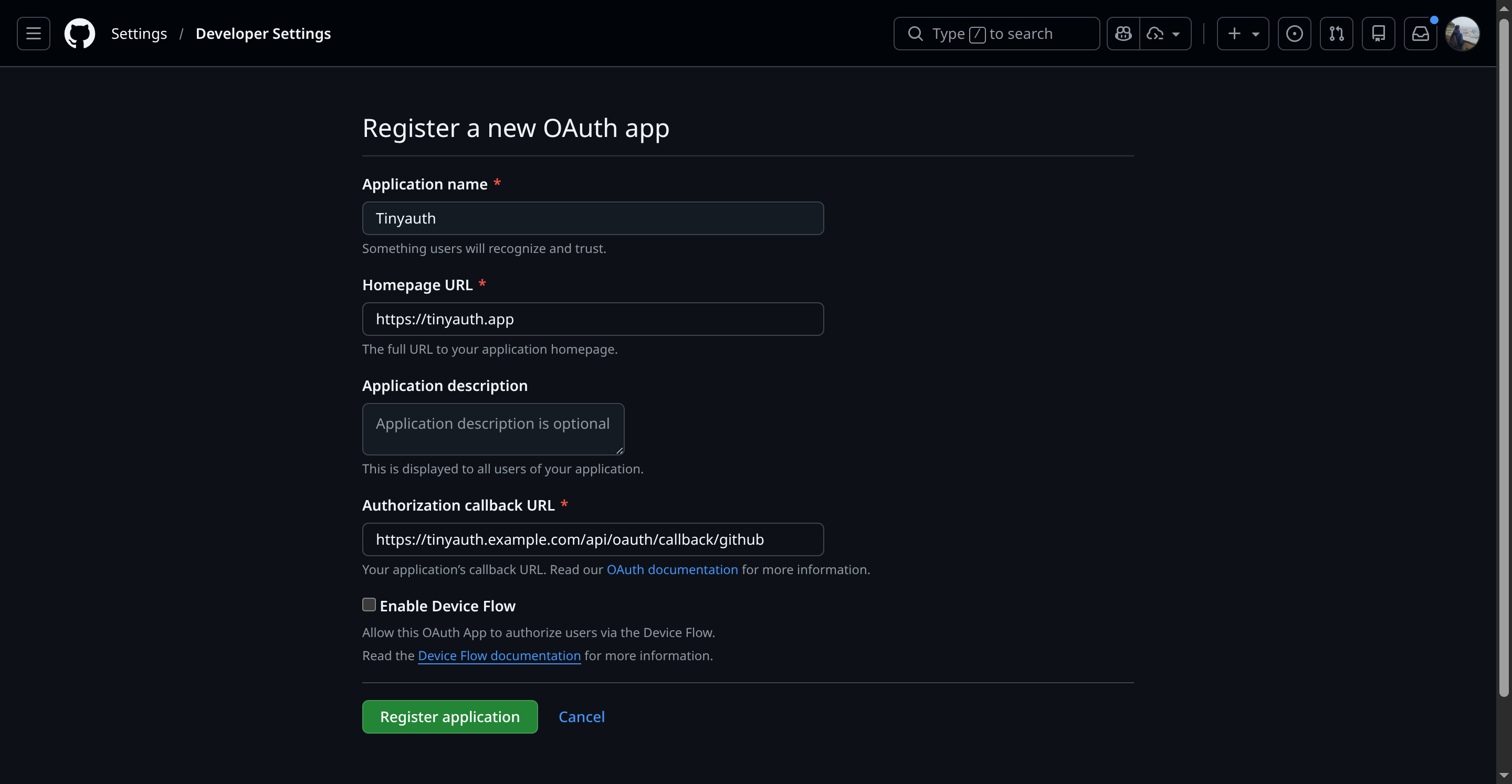
After entering the details, click Register Application.
Retrieving Credentials
Section titled “Retrieving Credentials”Once the application is created, the following screen will appear:
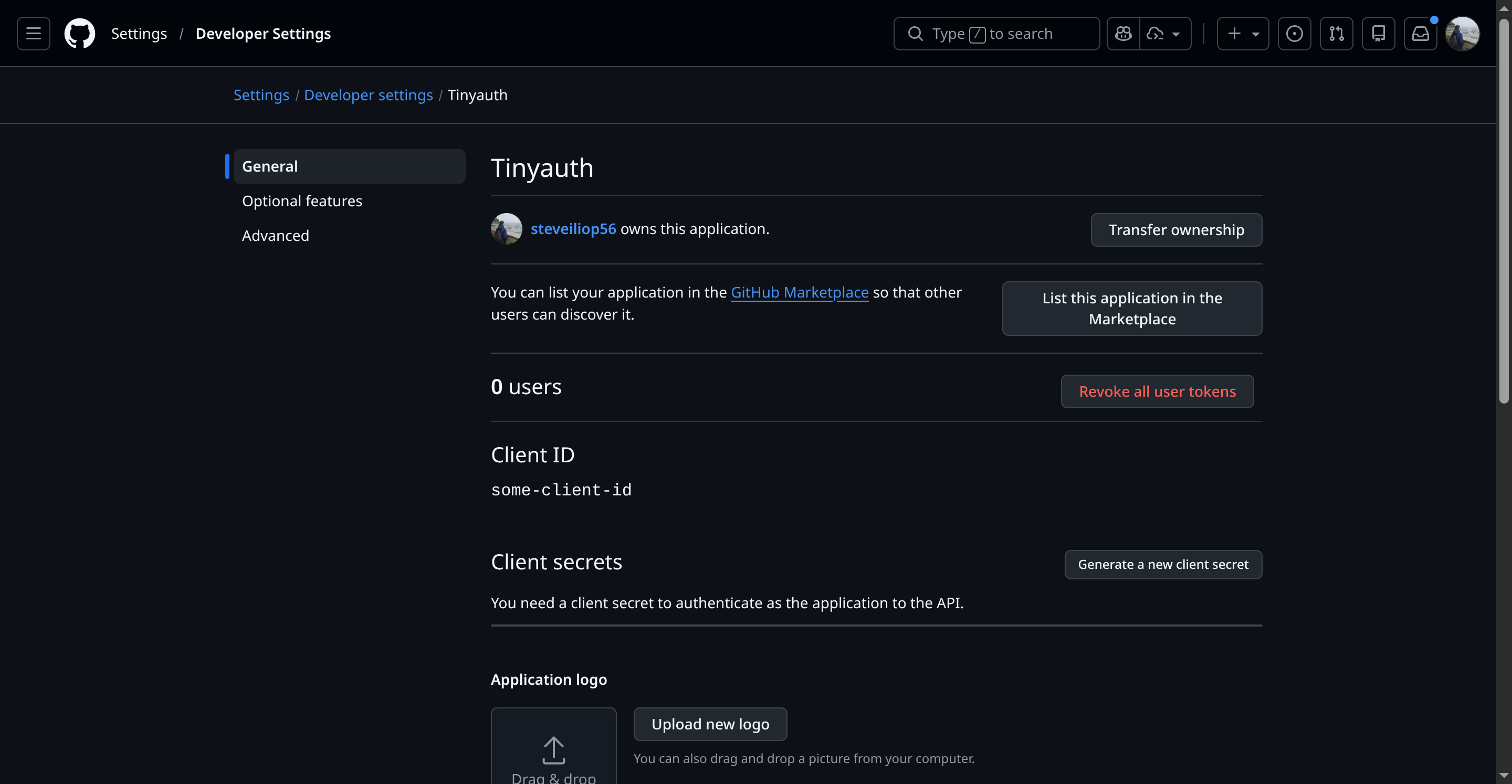
Note down the client ID. To generate the client secret, click Generate a new client secret. GitHub will prompt for login confirmation and then display the secret:
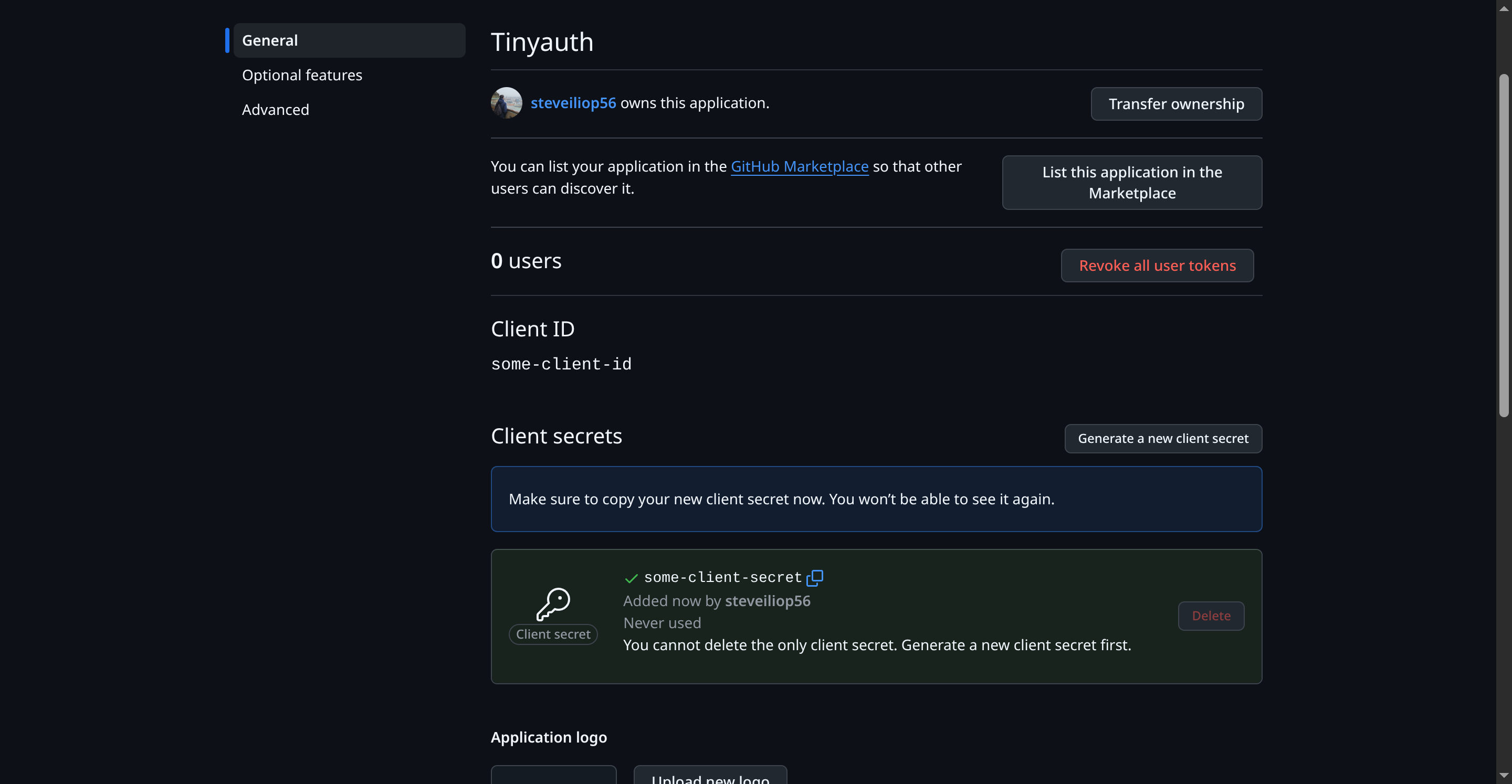
Note down the client ID and secret for later use.
Configuring Tinyauth
Section titled “Configuring Tinyauth”Add the following environment variables to the Tinyauth Docker container:
services: tinyauth: environment: - TINYAUTH_OAUTH_PROVIDERS_GITHUB_CLIENTID=your-github-client-id - TINYAUTH_OAUTH_PROVIDERS_GITHUB_CLIENTSECRET=your-github-secretRestart Tinyauth. Upon visiting the login screen, an additional option to log in with GitHub will appear.