
LDAP
LDAP, while often associated with businesses, can be highly effective for centralizing user management in a homelab environment. Tinyauth supports LDAP as a user source, making it easier to manage users across applications.
Requirements
Section titled “Requirements”An LDAP server is required to proceed. LLDAP is recommended for its lightweight design and ease of configuration. This guide uses LLDAP, but any LDAP server is compatible.
Creating Users
Section titled “Creating Users”Tinyauth requires at least two users: an observer user with read-only access to the database (used by Tinyauth to search for user DNs) and a normal user for logging in to Tinyauth and applications.
Creating the Observer User
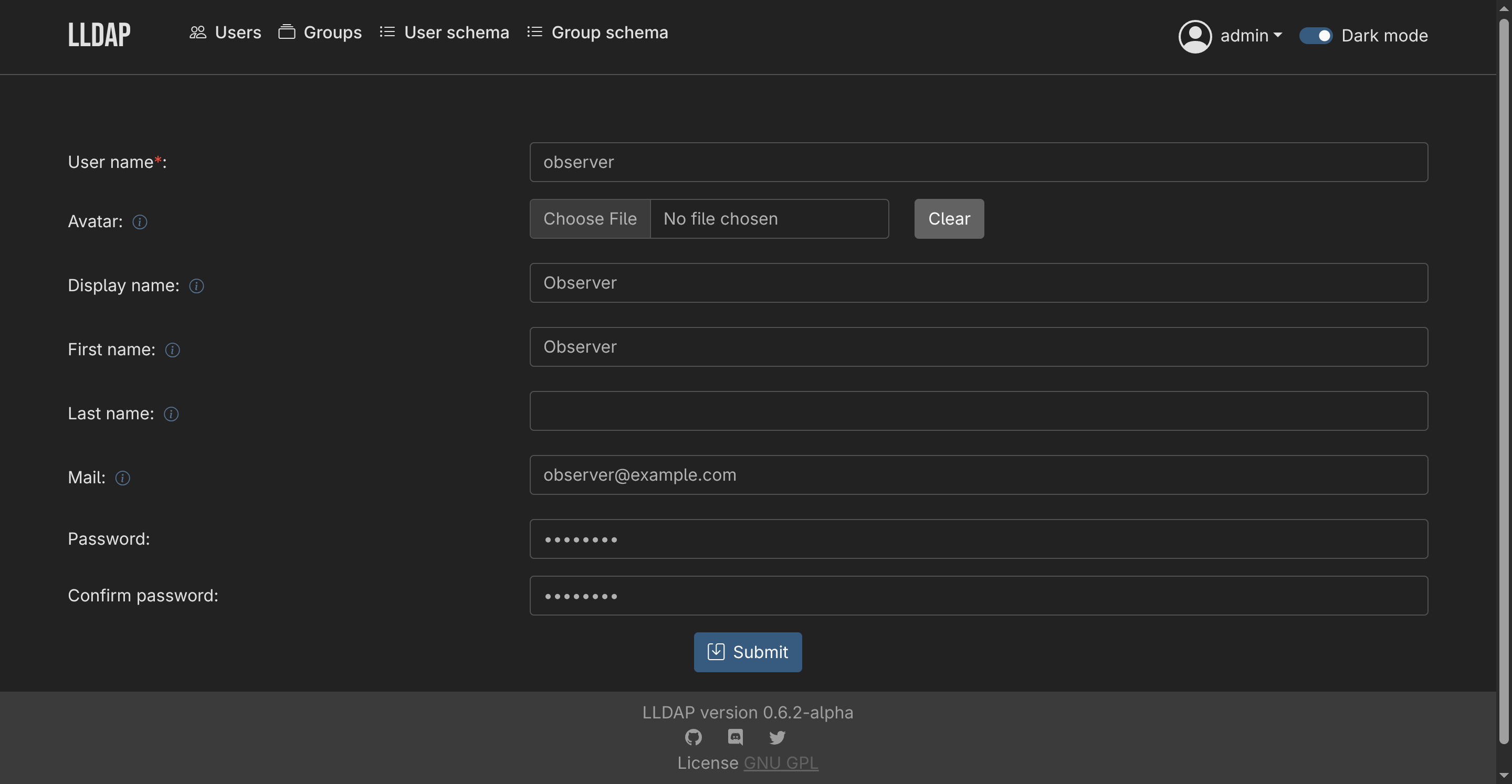
Section titled “Creating the Observer User”- Navigate to the Users tab in LLDAP and click Create a user.
- Provide a username, password and email address, then click Submit.
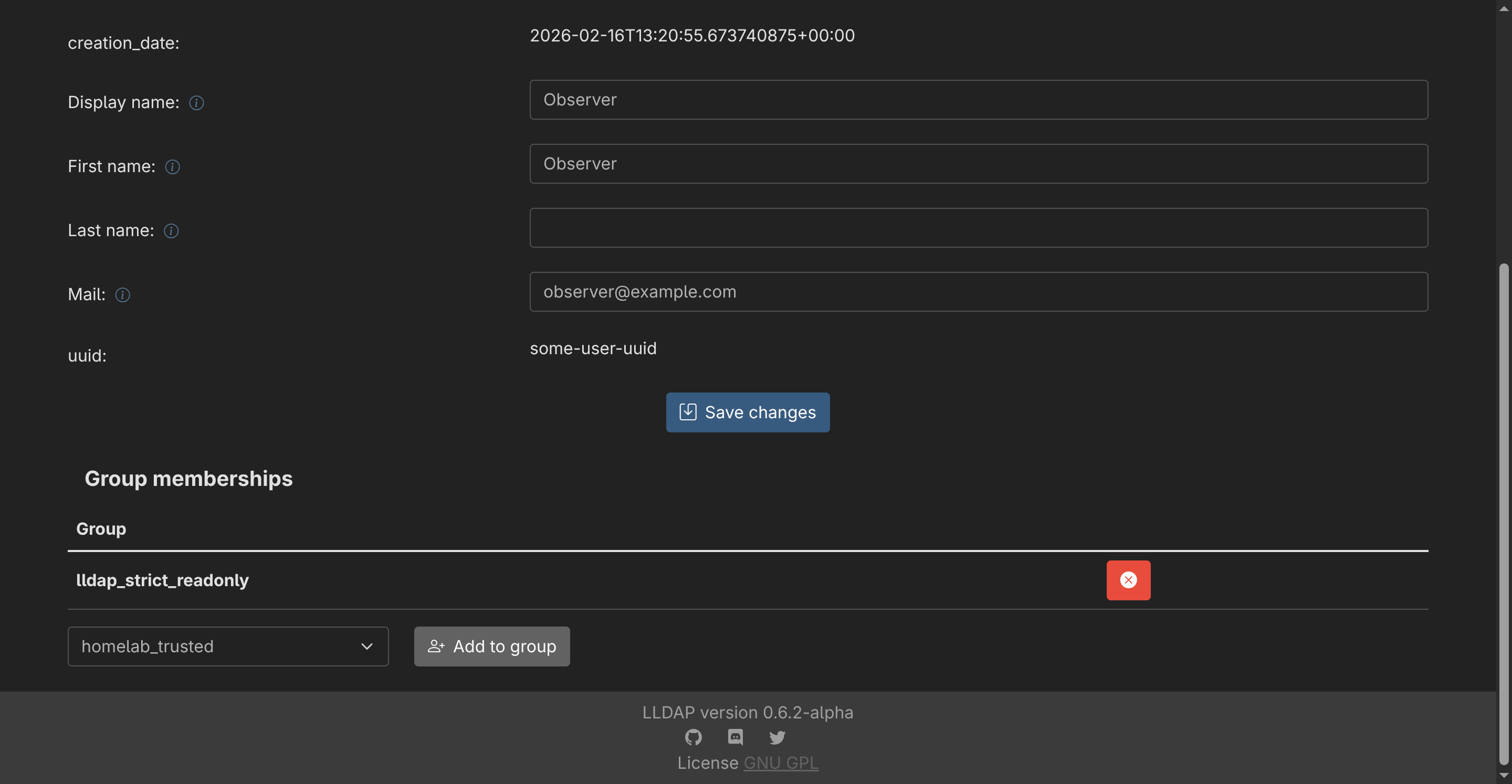
- After creating the user, select it from the list and scroll to the group memberships section. Add the user to the
lldap_strict_readonlygroup by clicking Add to Group.
Creating Additional Users
Section titled “Creating Additional Users”Repeat the process to create additional users. Normal users do not need to belong to any groups.
Configuring Tinyauth
Section titled “Configuring Tinyauth”To connect Tinyauth to the LDAP server, add the following environment variables to the Tinyauth Docker container:
services: tinyauth: environment: - TINYAUTH_LDAP_ADDRESS=ldap://my-lldap-server:3890 - TINYAUTH_LDAP_BINDDN=uid=your-observer-user,ou=people,dc=example,dc=com - TINYAUTH_LDAP_BINDPASSWORD=your-observer-user-password - TINYAUTH_LDAP_BASEDN=dc=example,dc=com - TINYAUTH_LDAP_SEARCHFILTER=(uid=%s) - TINYAUTH_LDAP_INSECURE=trueAfter restarting, logging in to Tinyauth with the second user created in LLDAP should be possible. Additional users can be created and used for login as needed.
Using LDAP Groups for access controls
Section titled “Using LDAP Groups for access controls”Tinyauth supports extracting the group information from the LDAP provider. This allows you to configure application groups straight from the LDAP server. Groups are extracted using the (&(objectclass=groupOfUniqueNames)(uniquemember=%s)) filter where %s is replaced by the username of the user attempting to log in. This filter should work with most LDAP servers.
LDAP groups are not refreshed on every request for performance reasons. Instead, they are cached for a short period of time to minimize the number of requests to the LDAP server. The cache duration can be configured using the TINYAUTH_LDAP_GROUPCACHETTL environment variable. The default cache duration is 900 seconds (15 minutes).
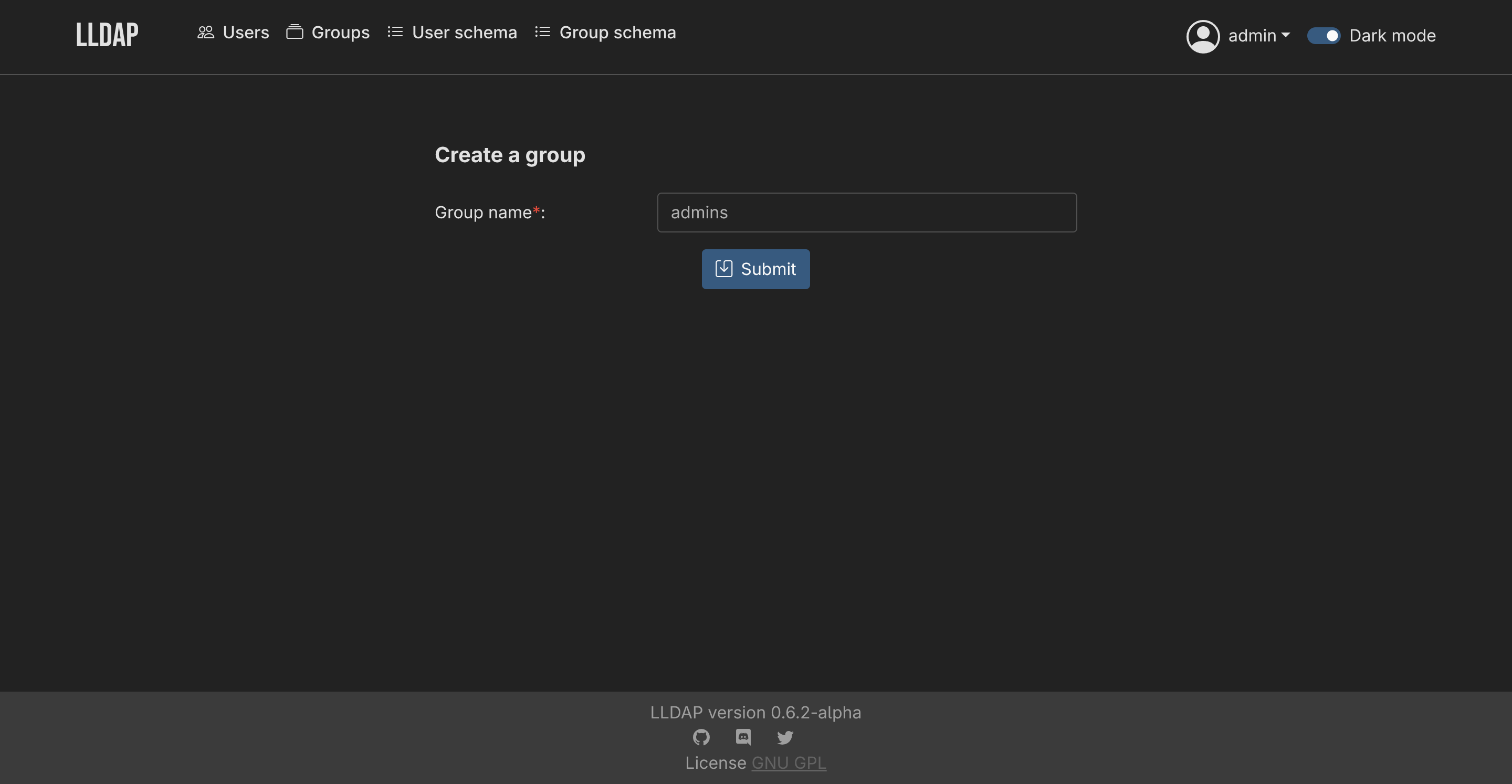
After you create a group in LLDAP:
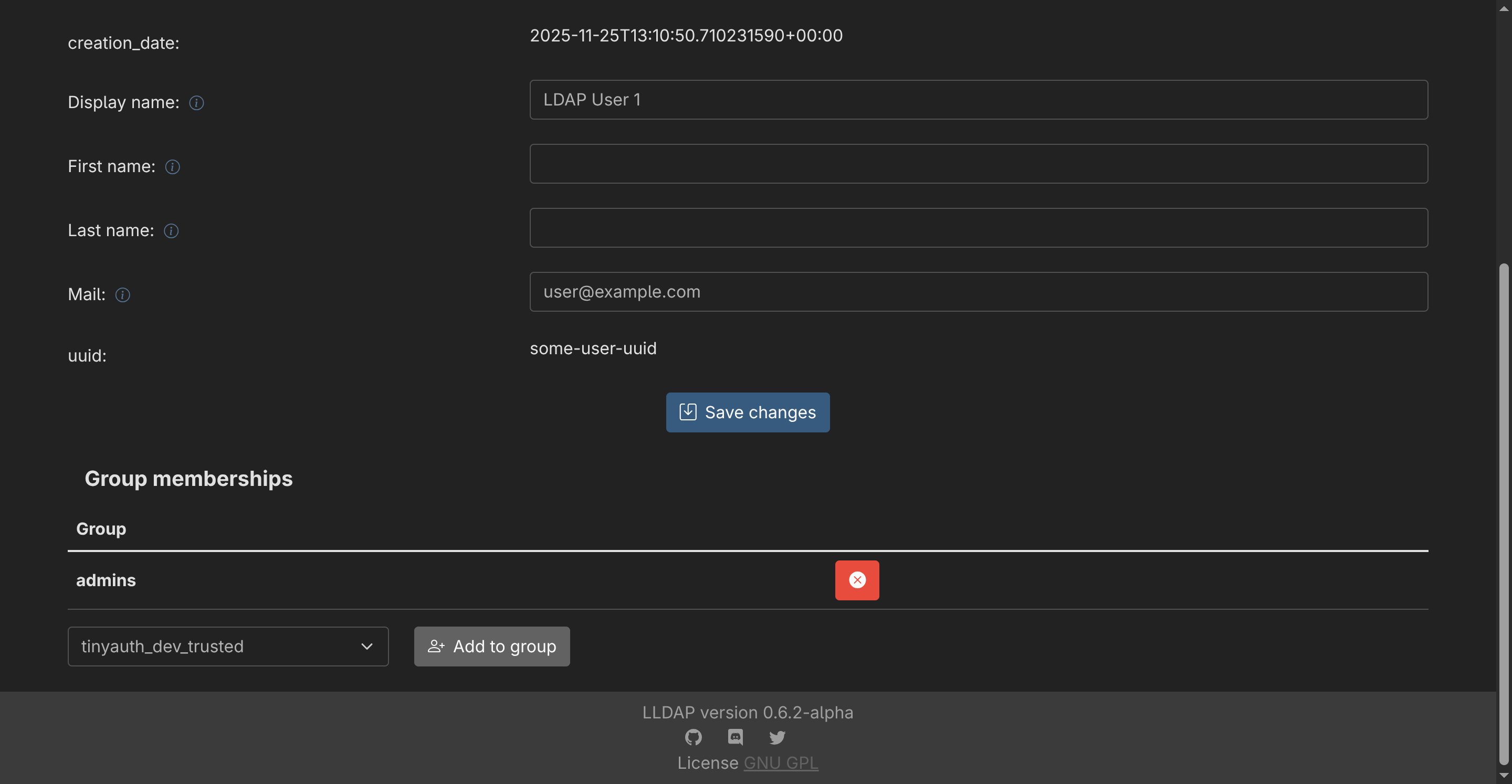
You can then assign users to the group:
Finally, use the LDAP Group ACL to allow only users within the admins group in your application:
services: foo: labels: tinyauth.apps.foo.ldap.groups: adminsIf an LDAP user is not a member of the admins group, they will not be granted access to the application and they will be redirected to an unauthorized page.